


How to Organize Your Bag: The System That Stops the Morning Rummage

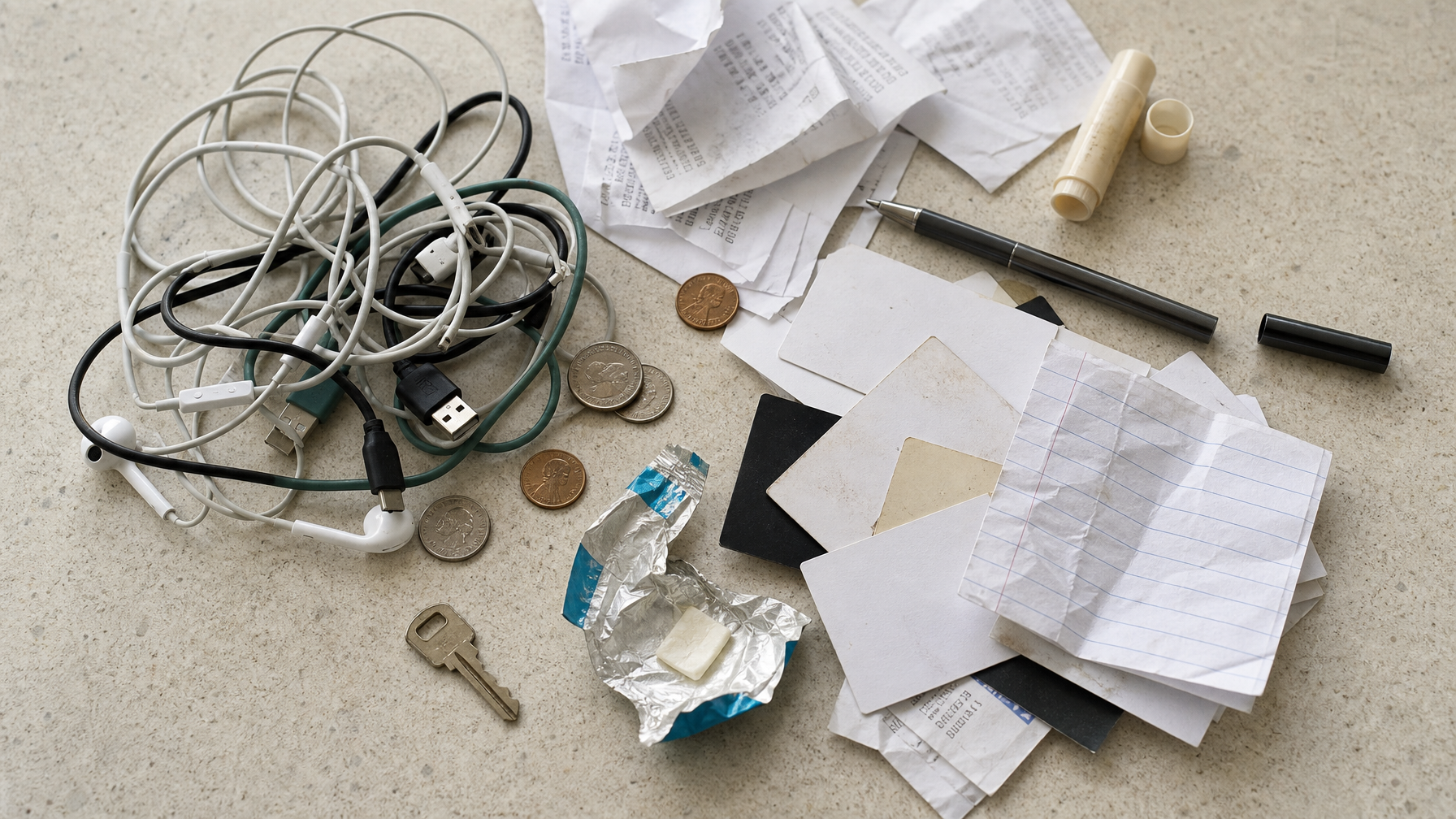
You know how it goes. You're at the transit gate, coffee in one hand, phone in the other, and the moment you need your transit card it's somewhere at the bottom of your bag. Not in the obvious spot. Not in the spot you thought you left it. Somewhere underneath the tangle of cables, the receipt from three weeks ago, and whatever that crumpled thing is that you've been ignoring since Tuesday.
The morning rummage is not a character flaw. It's a system problem. Most bags don't give you a structure for where things live — they give you empty space and a few pockets without any logic behind them. Over time, things drift. The wallet migrates. The earbuds end up with the charger. The transit card is nowhere and everywhere simultaneously.
The good news: fixing this takes about twenty minutes, once, and a minute or two each week to maintain. Here's the system.
Why Your Bag Keeps Getting Disorganized
The instinct when a bag gets chaotic is to clean it out and start fresh. And that works — for about a week. Then the same things drift back to the same random spots, and you're rummaging again by Wednesday.
The reason tidying doesn't stick is that tidying is not a system. It's a momentary improvement without a rule underneath it. If you don't know where the transit card belongs — if there isn't a designated spot for it — it will end up somewhere different every time you grab it and put it back in a hurry.
Organization that lasts is built on one principle: every item in your bag has a home, and that home is chosen based on how often you actually reach for it.
The Three-Zone Approach
Forget pockets for a moment. Pockets are a physical feature of your bag. Zones are a behavioral layer on top of that. You decide where things go based on how you actually use them — not based on which pocket happens to be nearest the top.
There are three zones. Everything in your bag belongs in one of them.
Zone 1 — Daily Reach
Zone 1 is for items you touch at least five times a day. Not things you might need. Things you definitely reach for, repeatedly, on almost every day you leave the house.
For most people, this is a short list: phone, transit card or wallet, keys, earbuds. That's it. Maybe a lip balm. Maybe a pen if you use one constantly. The list should be honest — if you're reaching for something twice a week, it's not Zone 1.
Zone 1 items live in the fastest-access spot your bag offers. For a crossbody or messenger bag, that's usually the outermost pocket or a detachable front pouch. For a backpack, it's the top organizational panel. These items should require zero thought to retrieve. You should be able to reach in and find them in the same spot every single time.
Zone 2 — Tech Layer
Zone 2 is for items you reach for a few times a day but that require a bit more deliberate access: charging cable, earphone case, GaN charger, portable battery, adapters. This layer changes more frequently than Zone 1 — you might swap a cable, add a different adapter for a work trip — but within any given week, it's fairly stable.
Zone 2 items work best in a small, contained unit: a single zippered tech pouch that lives in a dedicated interior pocket. Not loose. Not mixed with your wallet. One pouch, one pocket, always there. When you need to grab everything for a longer day or a quick trip, you pull one pouch and you're done.
Zone 3 — Long-Term Residents
Zone 3 is for items that live in your bag but rarely change: a small first aid kit, a backup charger you never hope to use, an umbrella tucked into a narrow side sleeve. These items are not part of your daily rhythm — they exist for edge cases. The goal with Zone 3 is simple: put them in the deepest, least-convenient pocket of your bag and forget about them. They're not in the way. They're just there when you need them.
Zone 3 is also the first thing to audit when your bag feels too heavy. If you haven't touched something in a month, it probably doesn't belong in the bag at all.
The One-Time Setup
The zone framework only works once you've done the initial setup — honestly and completely. Here's how:
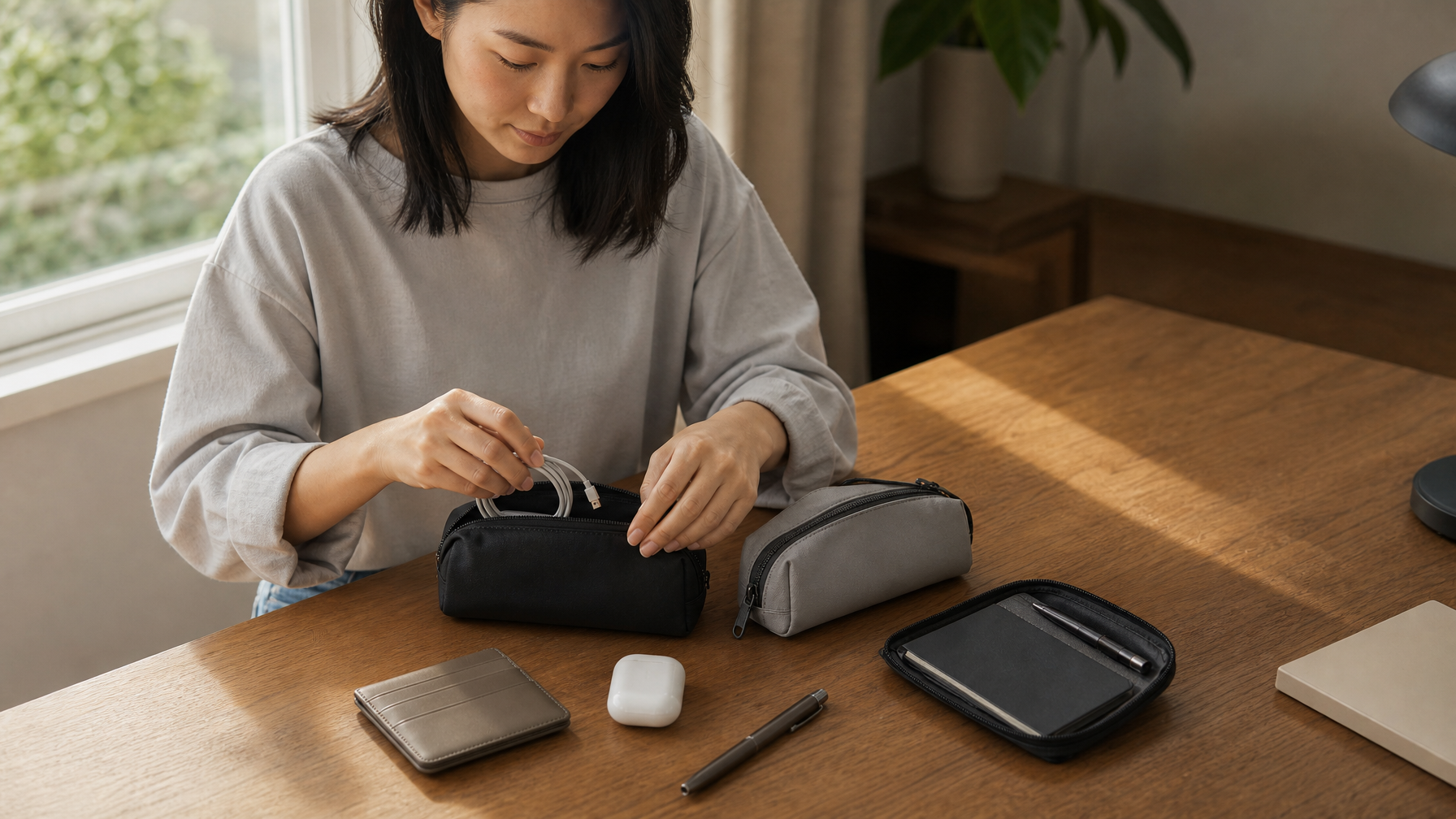
Step 1: Empty the bag entirely. Every coin, every receipt, every object that's been living at the bottom since you bought the bag. Everything out onto a flat surface.
Step 2: Remove what doesn't belong. Receipts, expired cards, old packaging, anything with no clear purpose. The default impulse is to put everything back. Resist it. If you haven't touched something in a month and it doesn't serve an edge-case function, it goes in the bin.
Step 3: Assign each remaining item to a zone. Pick up each item and ask one question: how often do I reach for this? Zone 1 (daily, multiple times), Zone 2 (a few times a week or for specific tasks), Zone 3 (edge cases, rarely). Put each item in its pile.
Step 4: Map zones to your bag's pockets. Look at the physical pockets your bag offers and decide which pocket gets which zone. The fastest-access pocket is Zone 1. A dedicated interior zip pocket or a small pouch is Zone 2. The deepest interior compartment is Zone 3. If it helps, write it down: "transit card: front outer pocket, always." The act of making it explicit is what makes it stick.
Step 5: Pack in reverse zone order. Zones 3 and 2 go in first. Zone 1 goes in last and lives in the most accessible spot. The bag is now loaded in reverse order of access frequency — what you reach for most is in the easiest spot, always.
This process takes fifteen to twenty minutes the first time. Every time after that, you're maintaining a system that already exists.
If you're also working through what to carry in the first place — not just how to organize it — the Capsule Carry System covers how to decide what earns a permanent spot in your bag at all, before the organization question comes up.
What Your Bag Needs to Make This Work
The zone system works in any bag, but some bags make it considerably easier than others. The single most important feature is defined access layers: multiple distinct compartments that physically separate zones from each other, so they don't drift together over time.
A bag with one large compartment and two flat side pockets forces you to improvise your own separation using pouches alone. That's workable, but it requires more ongoing effort. A bag with a dedicated front fast-access pocket, a structured multi-pocket interior, and a secure back zone gives you physical zones built in — the bag's architecture does some of the maintenance work for you.
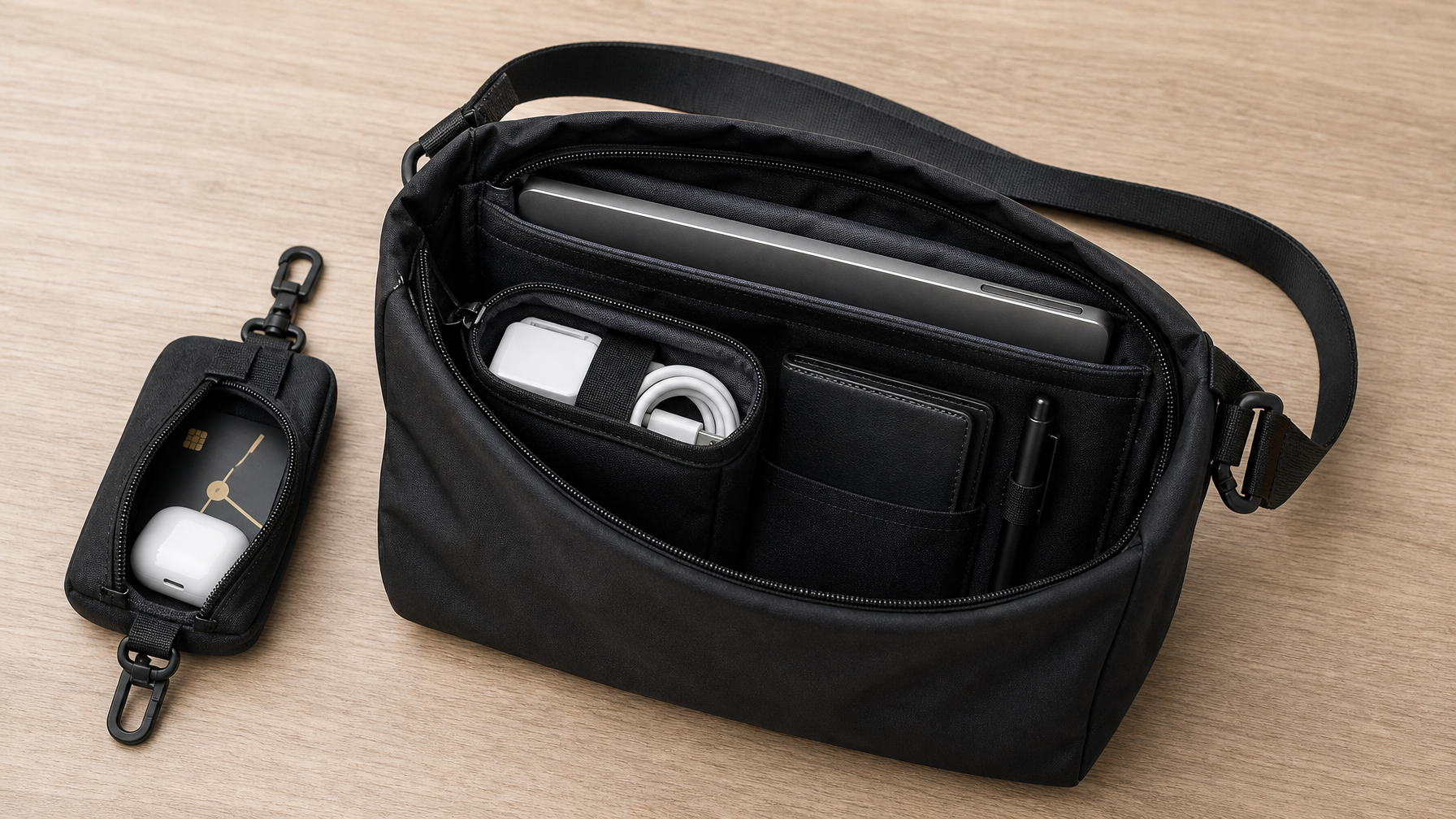
The Haven Messenger is set up this way by design. The detachable front accessory pouch clips to the front of the bag and handles Zone 1: transit card, earbuds, anything you need in under two seconds without opening the main compartment. The interior has a padded 14" laptop sleeve, an interior zip pocket for tech, and a mesh compartment that keeps cables sorted and accessible — the Zone 2 layer is already structured. The anti-theft back zip pocket handles items you want accessible but protected. The main compartment handles Zone 3: the items that live there and don't come out every day.
At the other end of the spectrum, the Metro Laptop Brief takes a deliberately minimal approach. Fewer compartments means fewer places for things to drift — and fewer places for Zone 3 items to accumulate unnoticed. The Metro works well for people who want the zone system to work through constraint rather than structure: if there's nowhere for clutter to hide, it doesn't build up in the first place.
What matters most is that your bag has at least one genuinely fast-access Zone 1 spot and at least one dedicated interior compartment for Zone 2. Everything else — the number of pockets, the layout, the size — can be worked around.

The 30-Second Weekly Reset
The zone system is not self-maintaining forever. Items drift. Something gets tossed in without thought after a long day. A receipt accumulates. A Zone 2 cable migrates into Zone 1 territory. Without a periodic check, the rummage gradually returns.
The fix is a short, regular audit: once a week, about thirty seconds, whenever it feels natural. A lot of people do it on Sunday evening, before the week begins. Open the bag. Confirm Zone 1 items are in Zone 1. Check that Zone 2 items are back in the tech pouch. Pull out anything that shouldn't be there — loose receipts, items that drifted from their home. Put the transit card back where it belongs. Close the bag.
You're not reorganizing. You're confirming the system is still intact. Most weeks, almost nothing has moved. The check takes under a minute.
The reason this matters goes beyond tidiness. A bag that's in order reduces the number of small decisions you make in the morning. You don't have to think about where anything is. You reach, you find it, you go. That kind of frictionless daily start — knowing your carry is sorted before you leave the door — compounds over time in ways that are surprisingly noticeable.
It's the same logic behind professional everyday carry: the best setup is the one you stop having to think about. As the Office EDC guide puts it, the goal is a carry that's automatic. The system is just the way you get there.
Frequently Asked Questions
How do I stop my bag from getting heavier over time?
Zone 3 is usually the culprit. Things accumulate in the back of a bag because there's no rule against them being there. Every month or so, empty the bag fully and apply the Zone 3 test: have you touched this item in the last thirty days? If not, it probably doesn't belong in your daily carry.
Do I need special pouches or inserts to make this work?
Not necessarily. A single small zippered tech pouch for Zone 2 is the one addition that helps most people. Beyond that, the system works with whatever pockets your bag already has. The zone approach is a behavioral layer — you're using existing pockets more intentionally, not buying new ones.
What if my bag doesn't have enough pockets to separate zones?
A bag with limited pocket count makes Zone 2 and Zone 3 harder to separate physically. A small fabric zip pouch solves most of this for the tech layer. For Zone 1, a bag without a dedicated fast-access spot means keeping those items grouped consistently in one corner of the main compartment — workable, just not as automatic as a dedicated external pocket.
How is this different from just tidying my bag?
Tidying is a one-time act. Organization is a standing rule. Tidying removes the chaos for a few days; a zone system gives every item a permanent home so the chaos doesn't return. After tidying, you don't know where anything should be — you just know it's all in there somewhere. After setting up zones, you know exactly where everything lives, which is what makes the morning carry frictionless.